Every platform. One tap.
Start all turns on every destination at once. Each one shows Connecting, then Live with its own bitrate.
GUSlive Streamer 7 days free
One signal in.Live everywhere.
Send one stream from your venue. GUSlive sends it to YouTube, Facebook, TikTok and more at the same time, watches the signal for you, and keeps the show going if an encoder drops. All from a browser.
No card · 1 project · 2 platforms at once · Thai support team
Works with the gear you already have
Your venue sends one stream. GUSlive turns it into every platform, keeps an eye on the signal, and steps in when something goes wrong. You run the show.
How it works
Your internet at the venue carries one stream. Our servers do the rest: restream, record, and hand out links for screens and control rooms. Tap a platform to add it.
3 platforms × 6 Mbps, all on the venue's own line.
One stream from the venue. Our servers send the copies.
less upload at the venue. Add another platform and your venue's upload stays the same.
Free trial
days free
from your first sign-inNew in October
Start all turns on every destination at once. Each one shows Connecting, then Live with its own bitrate.
Pick a platform and the server is filled in. Ten presets, plus any custom RTMP or RTMPS.
Signal now shows the picture, audio and bitrate. Signal health tells you which side needs a look: ingest, platforms or pull links.
Type a name and press Create. The server and stream key are ready to copy into your encoder.
Backup encoder
Plug a second encoder into another line, like a 5G router. It sends to its own address with the same passphrase. Set it up once in Live options.
Email alerts
GUSlive watches the show with you. You get an email when something changes, so you can fix it before the chat notices.
Watch page
Every project can have its own watch page. Send the link, or embed the player on your website. Add a password for a private event.
On your phone
Get started
Your 7 free days start now. No card.
Press Create. The stream key is made for you.
Copy the server and key into OBS, vMix or your SRT encoder.
guslive.net8900publish:stream_…Paste each platform's stream key. You're live.
Protocols
RTMP in, SRT out to the broadcast truck
Send RTMP from OBS and hand SRT to the broadcast truck. Pull HLS for the venue screens and RTSP for the control room. No extra encoder, no extra software.
Audio
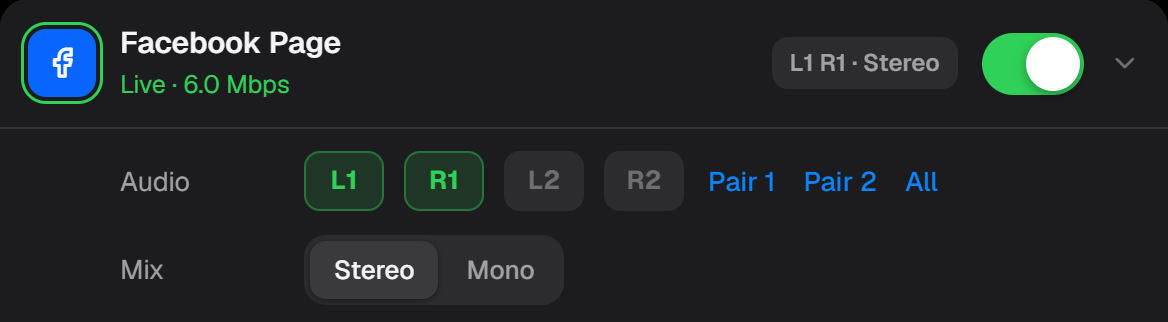
Your encoder sends two audio pairs. Each destination picks its pair, in Stereo or Mono.
Stats
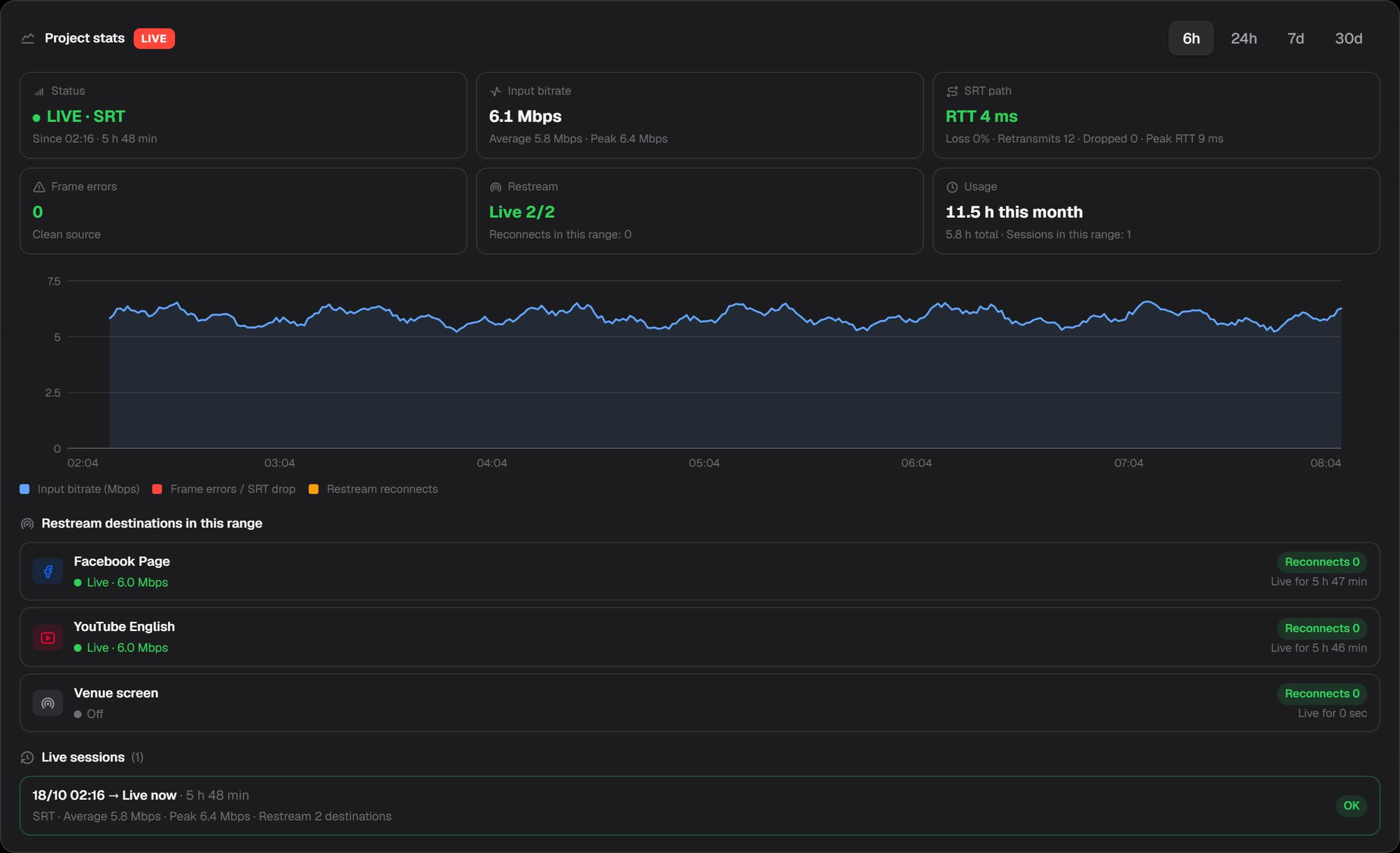
Input bitrate, frame errors, SRT round trip and loss, restream reconnects and every live session, up to 30 days back.
Record
Turn on Record and download the file after the show.
REC 01:24:07Secure
An SRT passphrase and a publish pass on every project.
ProtectedSupport
Yes. For 7 days from your first sign-in you get 1 project, 2 platforms at once and recording up to 30 minutes. No card, nothing to cancel.
Your project and settings stay. Chat with us or call the team to keep going live.
Yes. Every project has SRT, HLS and RTSP pull links, whatever protocol you send in with.
Yes. If your encoder sends two audio pairs, GUSlive sees them as L1 R1 L2 R2. Each destination picks the pair it takes, in Stereo or Mono.
Your venue only sends us one stream. Sending it to every platform is the server's job. With LiveU or Kiloview, send SRT straight to your project's own port. It rides out about 1 second of unstable network. For the big days, add a backup encoder on a second line.
With a backup encoder connected, your platforms switch to it about 4 seconds after the main one stops, and switch back once the main is steady for 8 seconds. Either way, you get an email.
No. GUSlive runs in your browser. Keep using the OBS, vMix, encoder or phone app you already have.
ideal8 Co., Ltd. · 39/36 Soi Phahonyothin 52, Yaek 33 (Phoemsin 3 Village), Khlong Thanon, Sai Mai, Bangkok 10220
Signal in, restream out, recordings and stats, for every project in one place.
No projects yet. Tap "New project" to start.
No recordings yet
What goes into your encoder.
Going live from video files has to be turned on by an admin first.
Contact an admin to ask for access.
No start time? Press “Start” to go on air yourself.
Links to watch or pull, and platforms to push to.
No recordings